I’ve seen some debate on LinkedIn recently about portfolios that show lots of visuals versus portfolios that write detailed and lengthy case studies. So I’m running an experiment to see which type of case-study page translates better.
Here is a case study that is heavy on visuals with very little context and information. Let’s see if the best stories are told with pixels or paragraphs. 😉
All designs represent my work and were done in Figma.
Bridge Talent Marketplace
Dashboard concept I designed for a demo at an HR Tech Conference. This high-fidelity prototype was presented to an audience of HR and Learning and Development professionals to gauge their appetite for talent mobility features in Bridge. The presentation was a huge success that resulted in several hundred new marketing and sales leads.
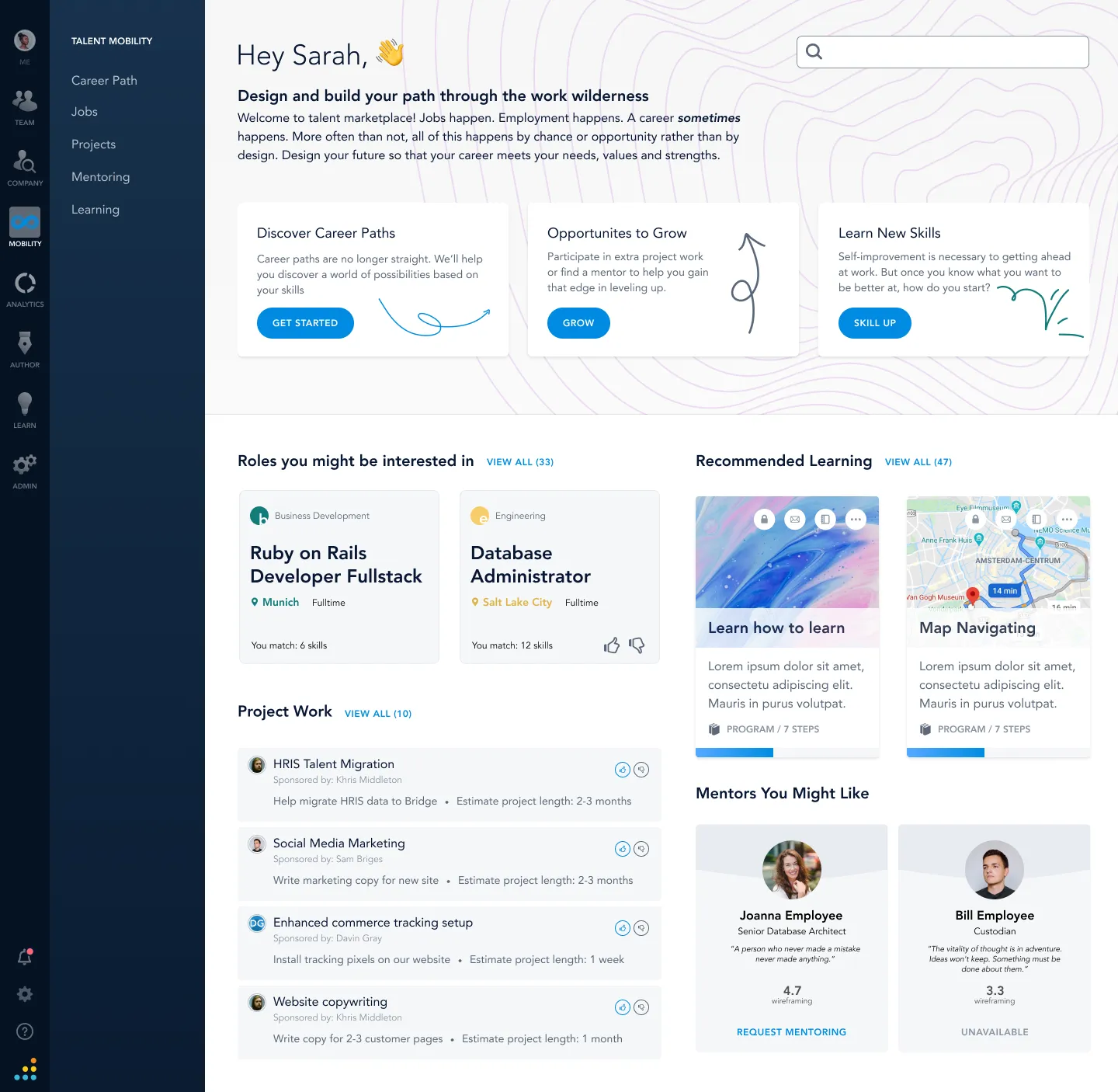
Talent Marketplace home screen shown at the HR Tech demo.
Another screen from the HR Tech demo. Part of talent mobility is showing potential career paths for an employee.
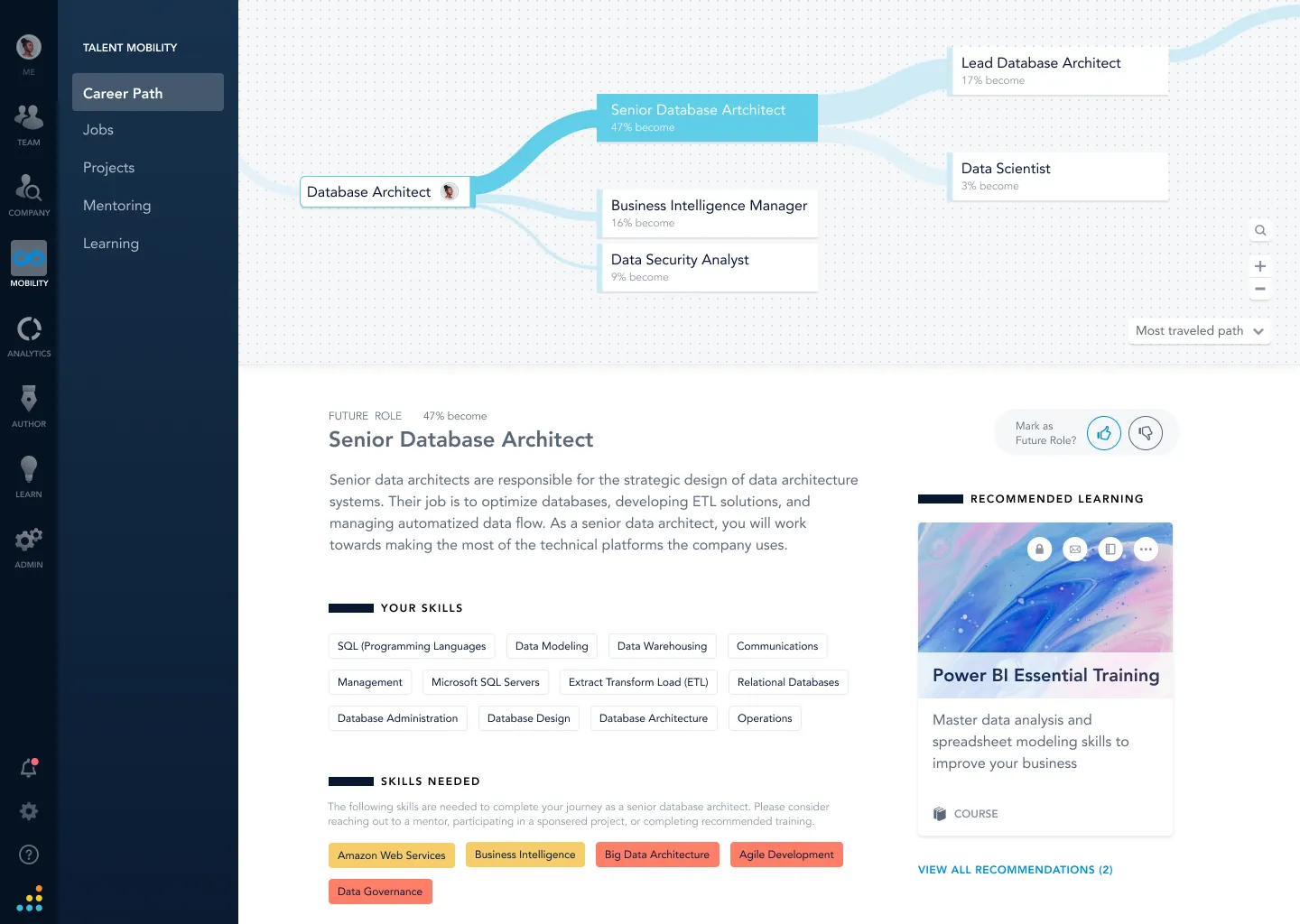
Visualizing potential career paths for an employee.
Course management
The goal of this project was to give Learning and Development authors the ability to tag their courses with related and relevant industry skills. By doing this, learners in the Learning Management System (LMS) could receive recommendations suited to the skills they wanted to develop.
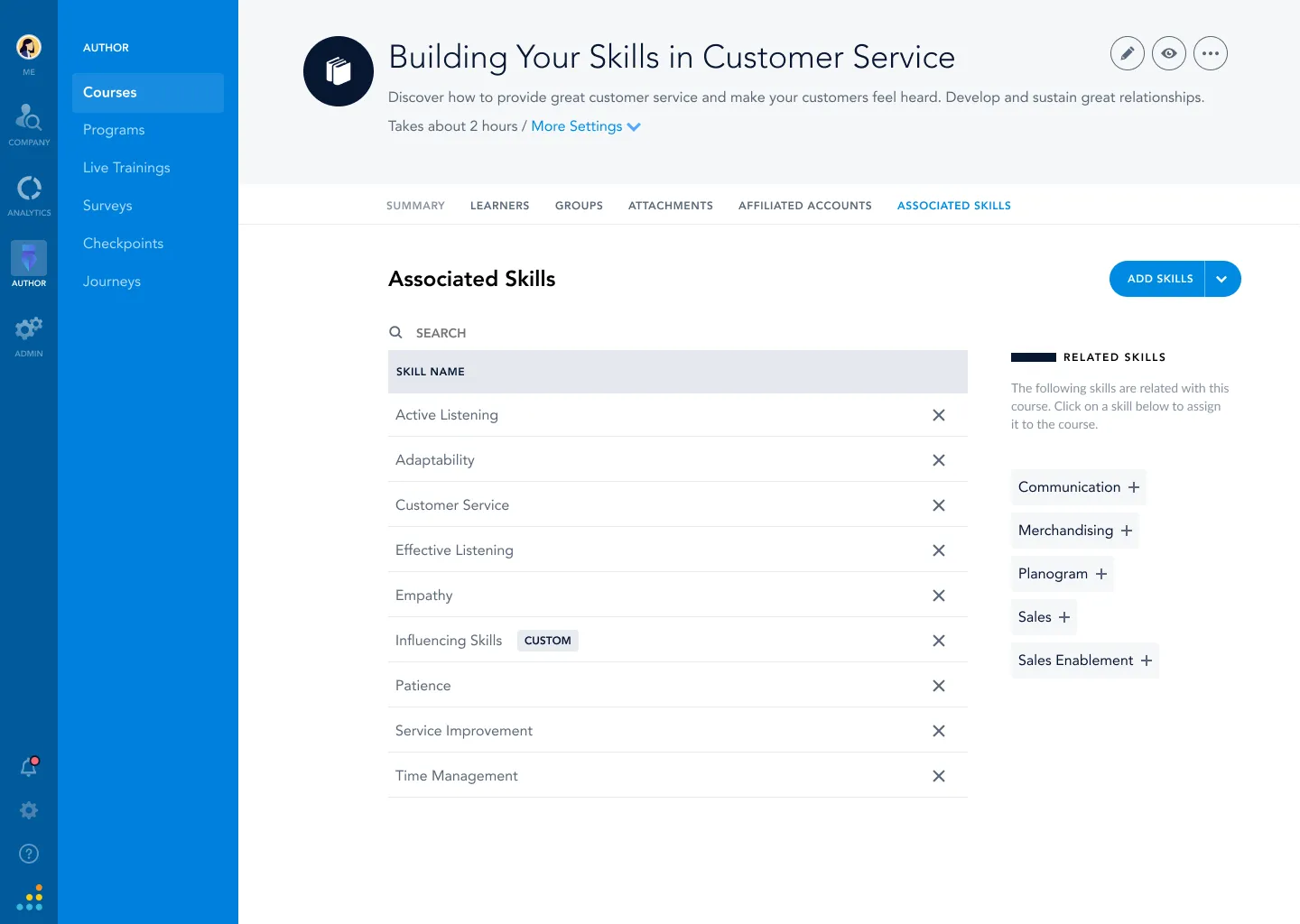
Tagging a course with related industry skills.
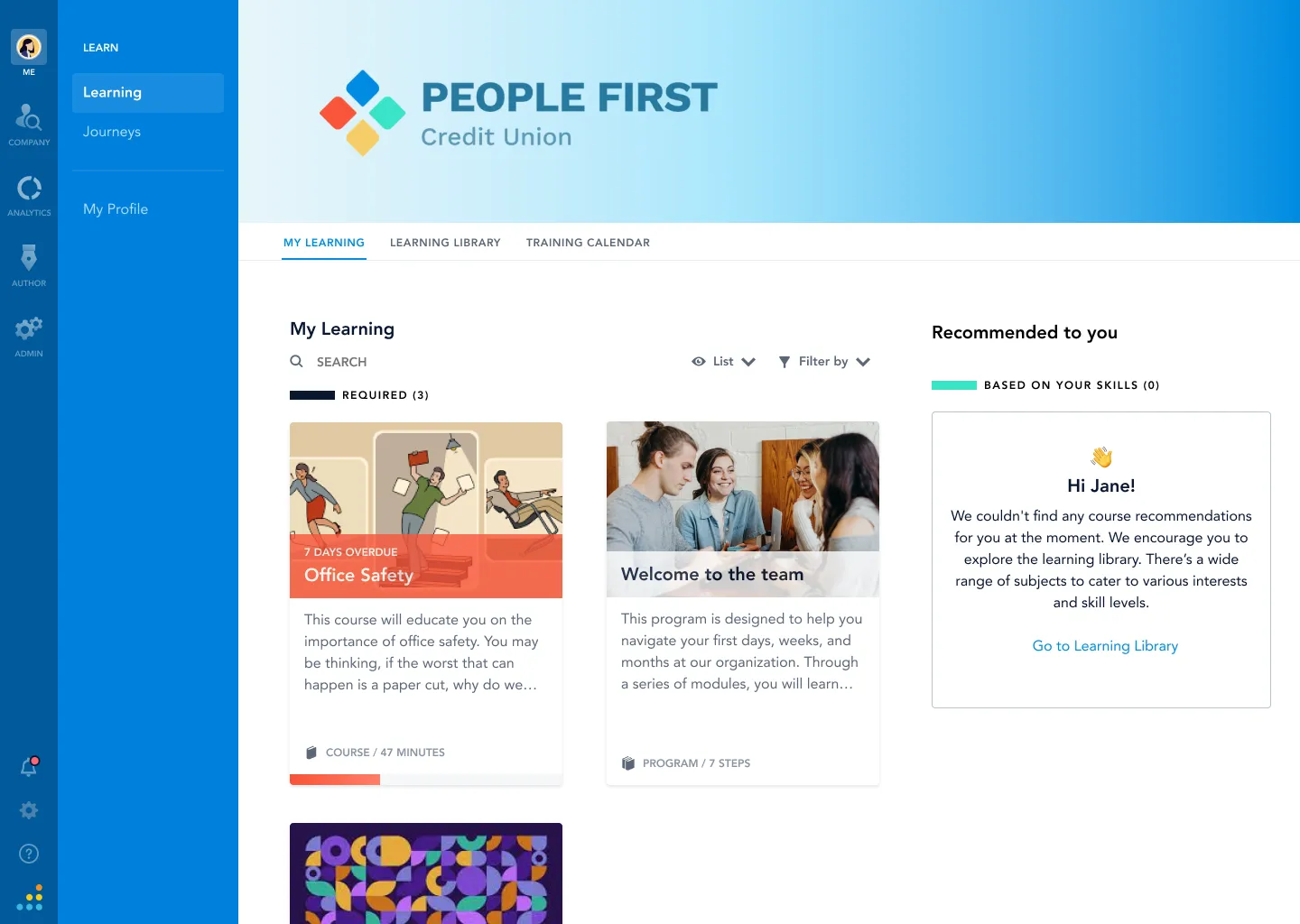
Learning recommendations based on skills. AI recommendations were the backbone of our Talent Mobility initiative.
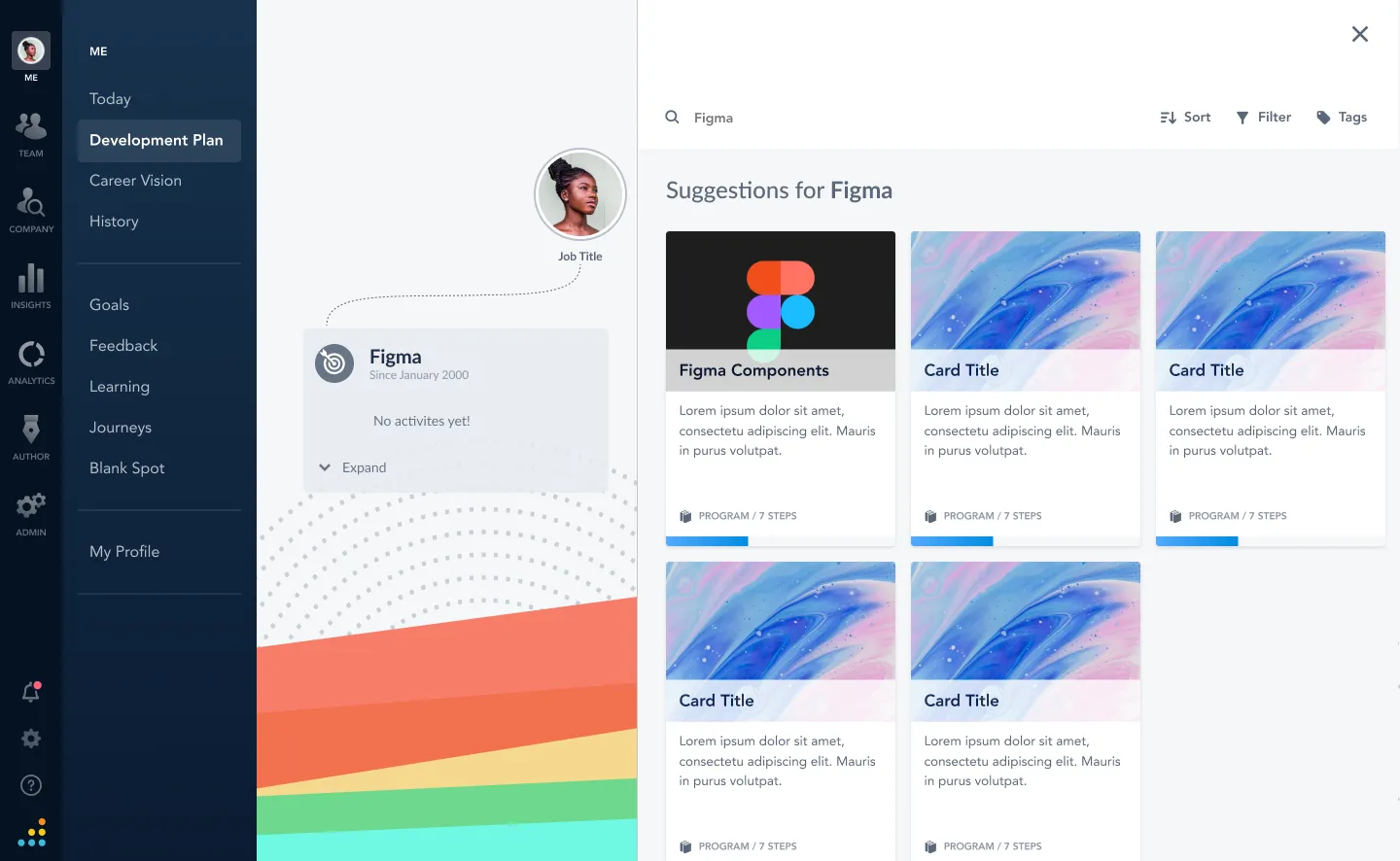
Building a development plan based on skills.
Job title normalization
Through interviews and research I discovered that HR admins spent hours and hours trying to corral all the different job titles in their organization. I designed a flow using AI that would take their existing job titles and make recommendations that matched industry standard job titles. This process resulted in hours of time saved for a Bridge admin and cleaner data for the organization.
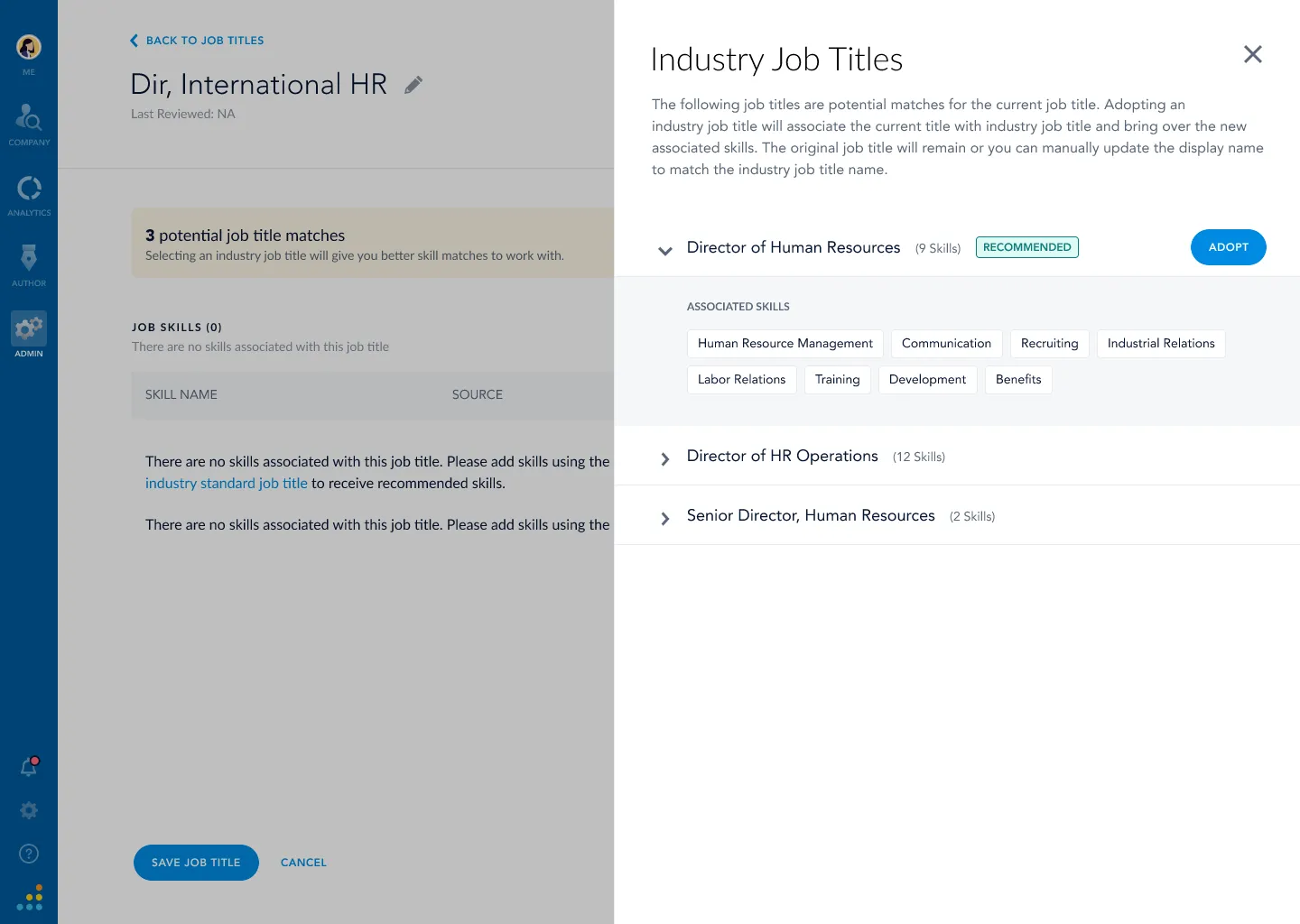
Matching a custom job title to an industry standard title.
Once a job title was adopted, it was also automatically assigned the most relevant job skills. This tied learning, mentors, and career paths to the employee to create a robust recommendation engine.
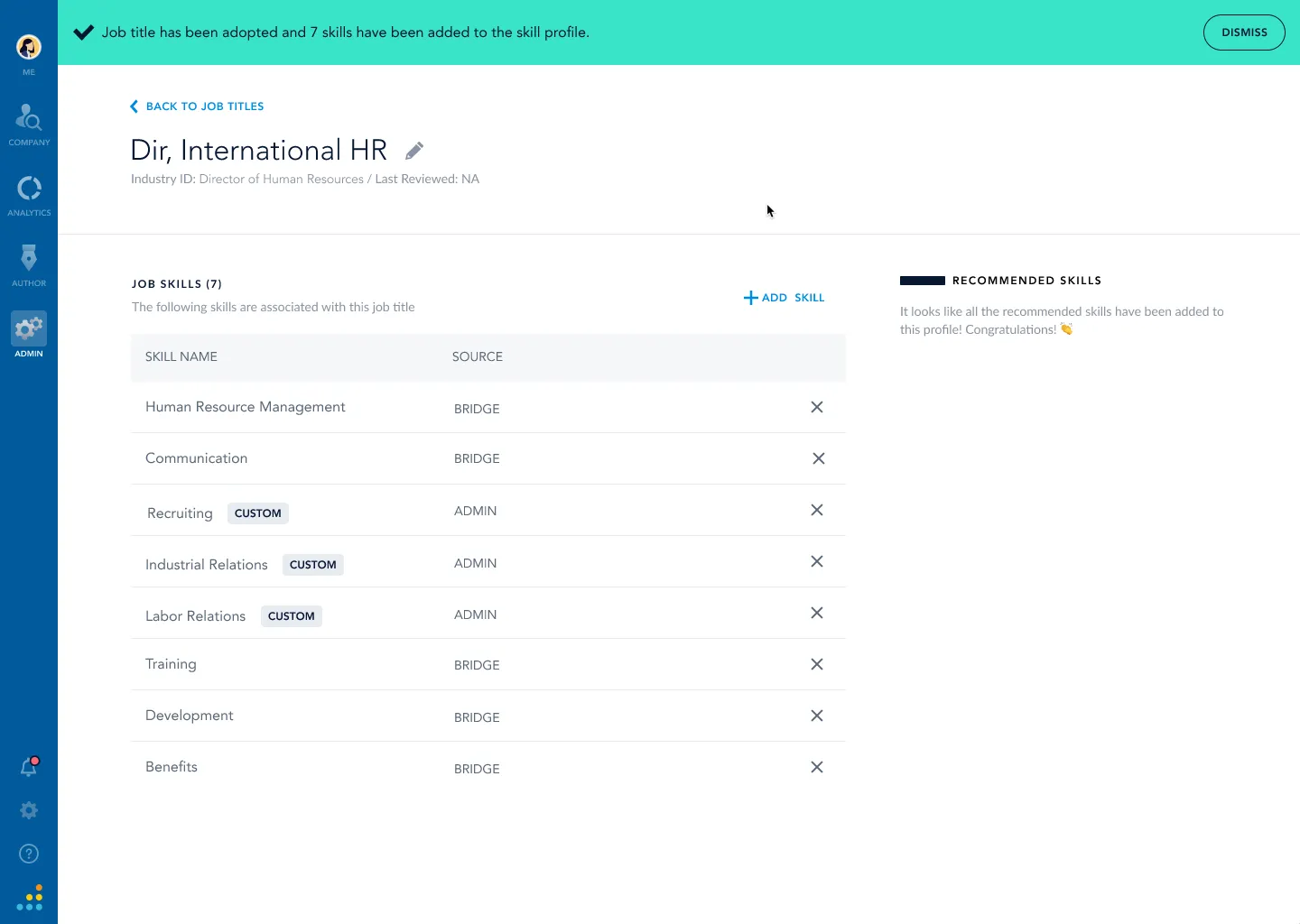
Skills automatically assigned after adopting an industry job title.
Skills management
I redesigned a completely new skills management view and workflow. The Quick View panel gave admins additional insights into how skills were being used.
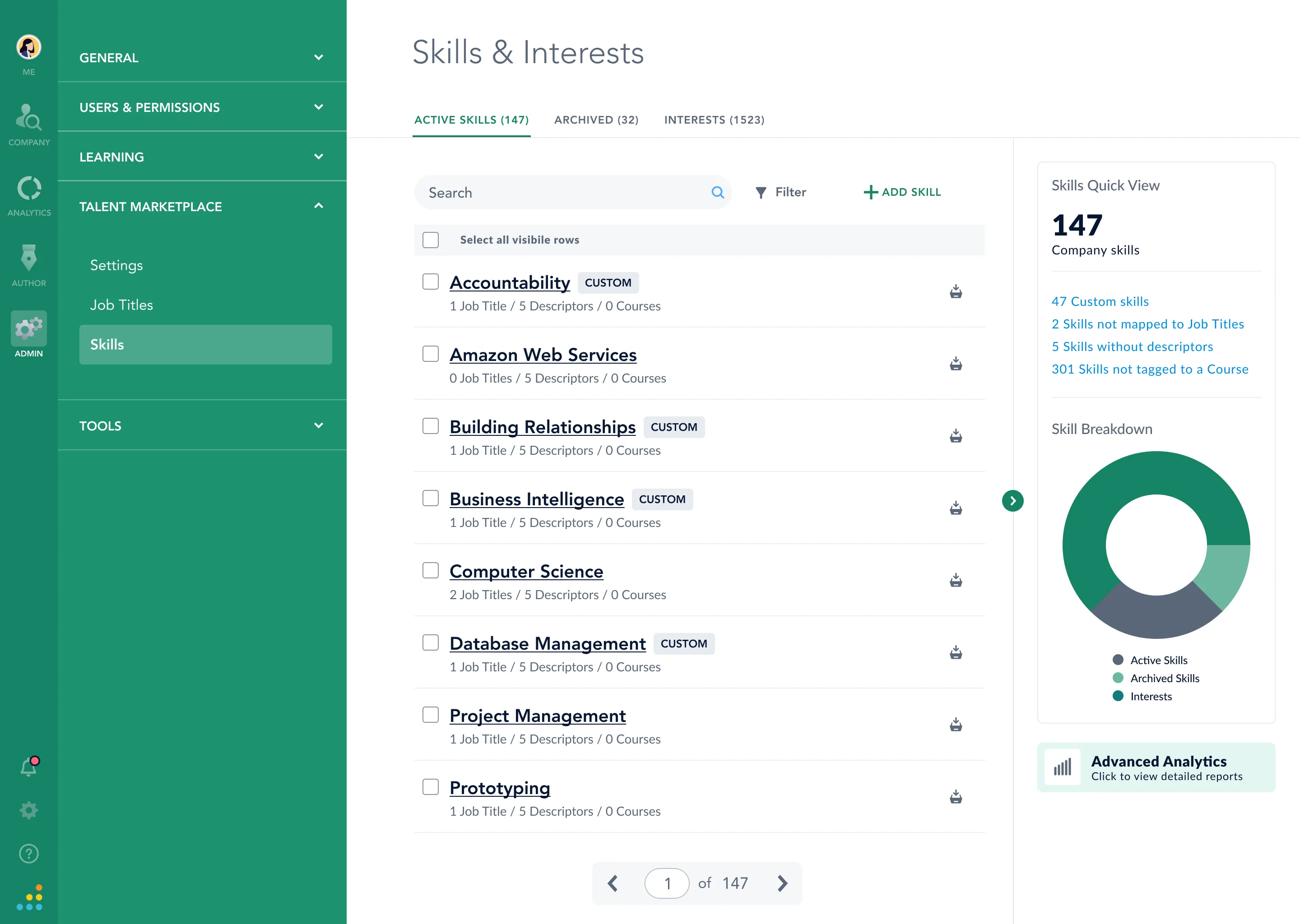
The redesigned skills management view, with the Quick View panel on the right.
Well, there we have it 😎
Was this visual format better, or would you have preferred the long-form case-study format? Please get a hold of me and let me know. Cheers!